Complete Feature Tour
Every major feature in the platform, with screenshots
MFL Fantasy is a full fantasy football platform, not a stripped-down imitation. This page is a complete tour of every major feature, organized by what you actually do in the app. Use it as a reference if you are evaluating whether MFL Fantasy fits your needs, or as a roadmap if you are new and want to know what is in the box.
The Lobby
When you sign in, the first thing you see is the lobby — the central hub for everything outside an individual league. From here you can join public leagues that are open to new members, accept invites to private leagues, browse the Stats Hub to scout the MFL universe, jump into any of your existing leagues, or create a new one.
The lobby surfaces:
- Public leagues: open leagues anyone can join, sorted by status (drafting, in-season, completed)
- My leagues: every league you are a member of, with live status indicators showing if it is your turn to act
- News feed: announcements, league storylines, and platform updates
- Quick-jump nav: direct links to Stats Hub, your active drafts, and pending trades or DMs across leagues
League Creation & Commissioner Tools
Creating a league makes you commissioner. The setup flow is short — name the league, pick the size (4, 6, 8, 10, or 12 teams), set the draft date and time, choose public or private. From there, the commissioner panel gives you control over:
- League size and roster format
- Draft date, time, and pick-clock duration
- Scoring rules (full PPR by default, but every value is configurable)
- Waiver type (rolling priority, FAAB, or first-come-first-served)
- Trade approval (commissioner review, league vote, or auto-approve)
- Playoff format (4 or 6 teams, bye structure)
- CPU team auto-fill for empty slots
- Lock/unlock individual rosters and lineups
- Force-advance the week if a manager is no-showing
Commissioners can also pause the league, kick managers, transfer ownership, and import a stats file if the platform-wide auto-import has not run yet.
The Draft Room
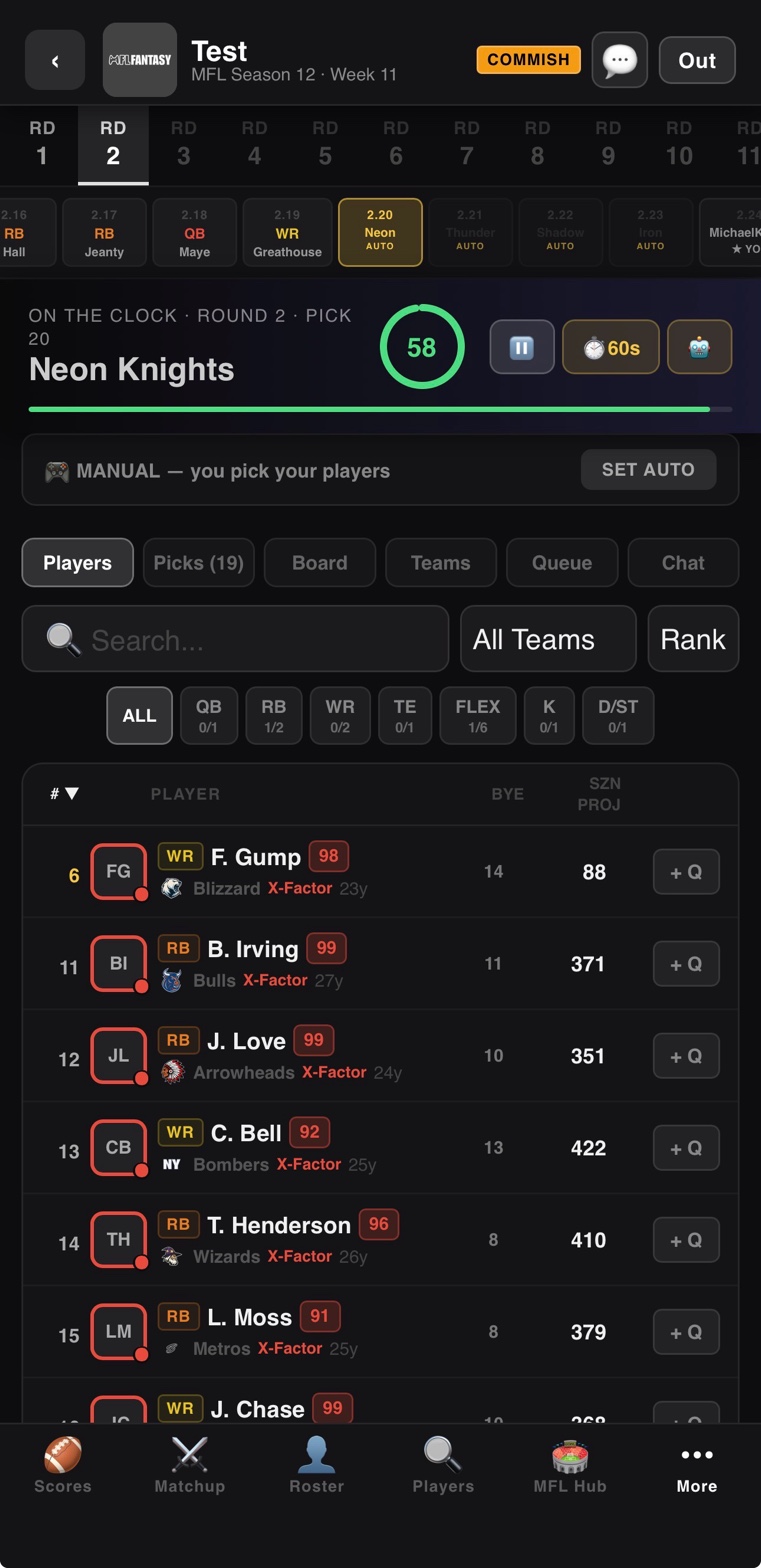
Drafts are 15-round snake by default. Every pick has a countdown timer (default 90 seconds, configurable). The draft room shows the current pick, a draft board with every selection so far, a filterable player list with positions and team filters, and a live chat. Queue players in advance and the app auto-picks for you if your timer expires.
CPU teams in the draft use best-player-available logic with positional needs weighted in. They will not draft three quarterbacks in the first six rounds, but they will pounce on positional scarcity if a top-tier RB falls past their projected pick. Full draft walkthrough is on the draft deep dive.
Roster Management
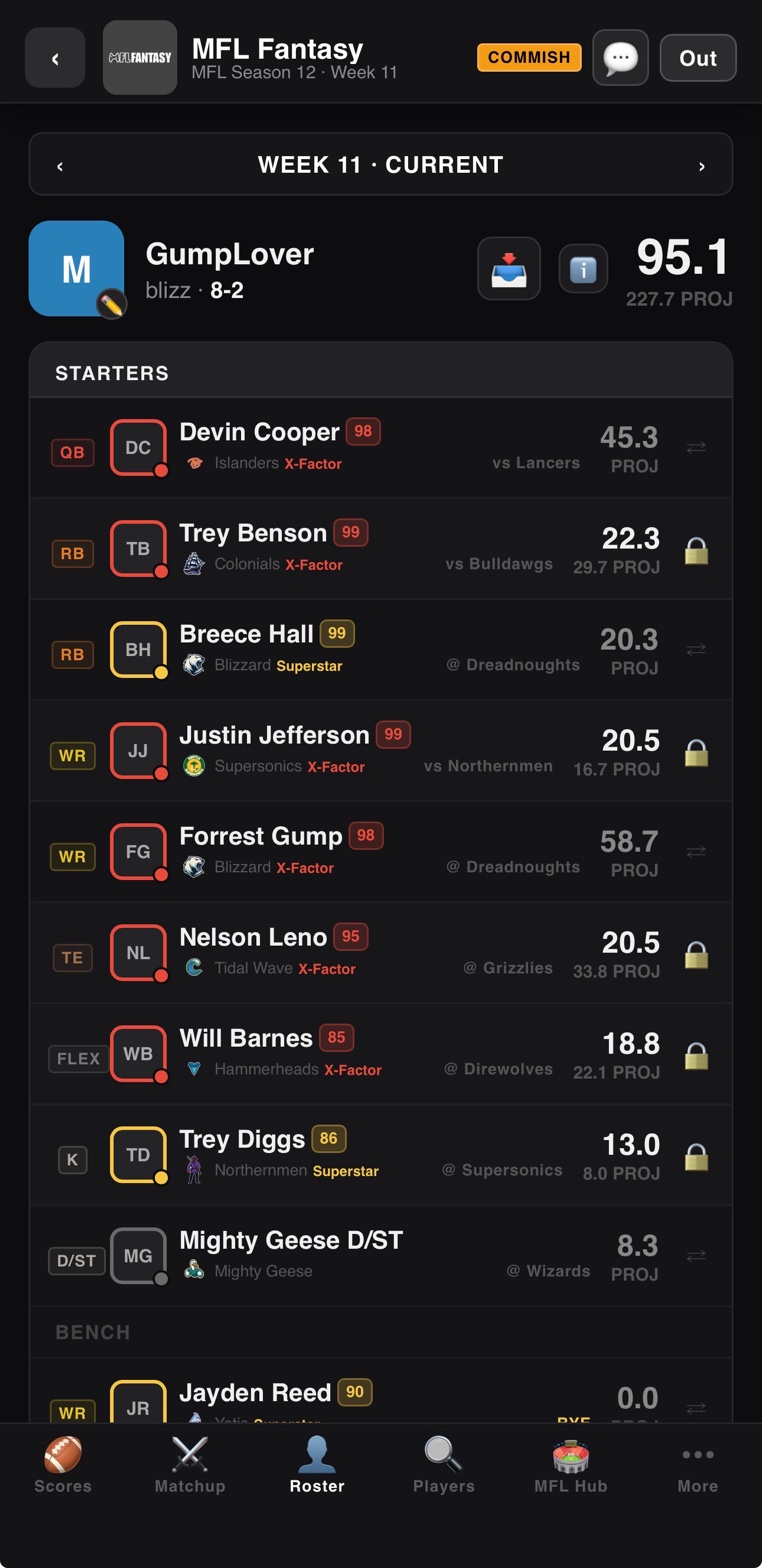
The roster page is where you set your weekly starting lineup. Standard format is 9 starters (QB, 2 RB, 2 WR, TE, FLEX, K, D/ST) plus 6 bench. The page shows each player's projection for the upcoming week, their opponent, any injury or bye-week flags, and their position rank.
Swapping players is one-tap on desktop, drag-and-drop on mobile. The interface validates positional eligibility automatically — you cannot accidentally start a kicker at WR. Lineups lock at kickoff per player; a player whose MFL team has already played for the week is frozen and cannot be benched.
Weekly Matchups
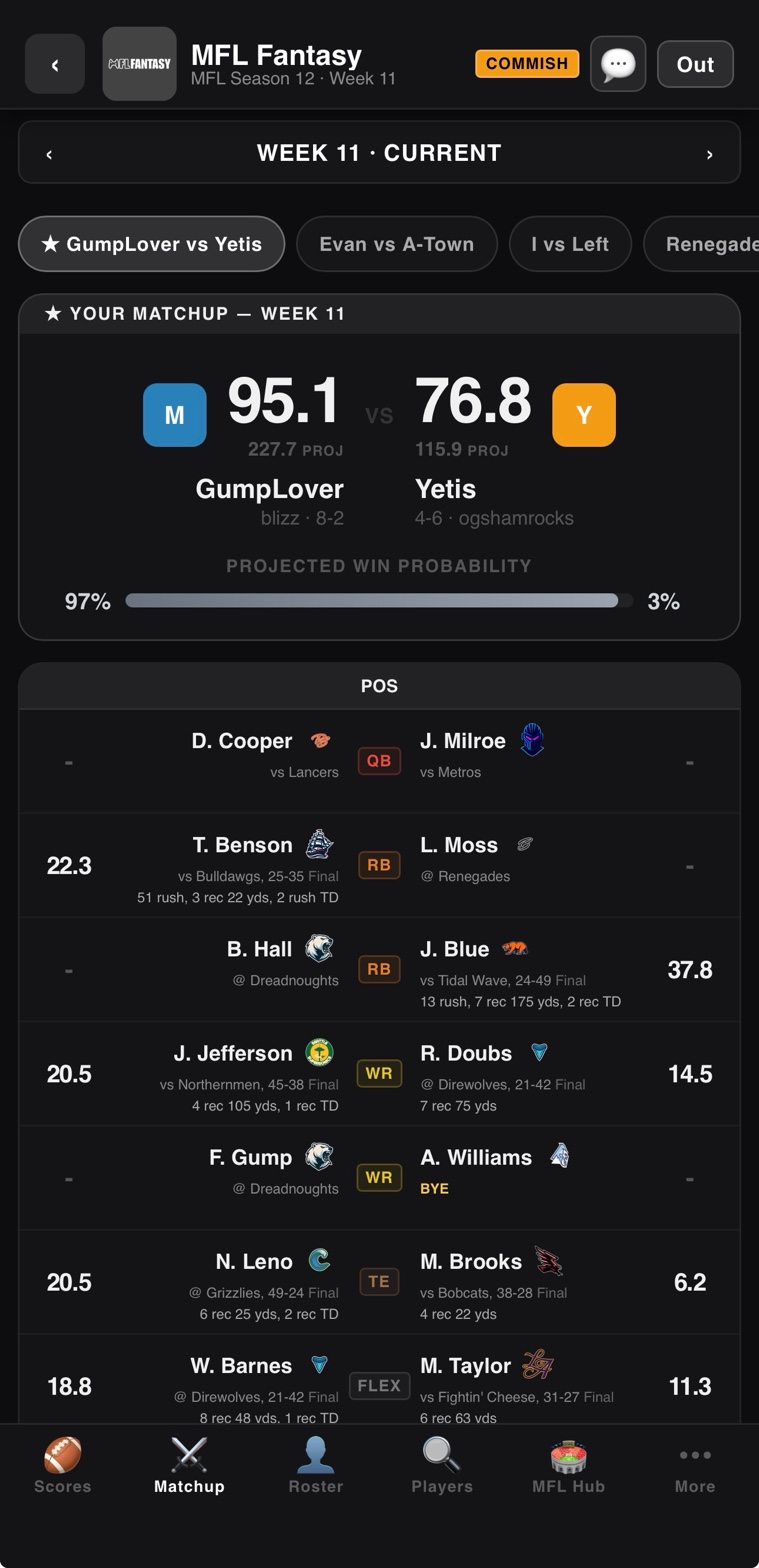
The matchup page shows your team versus your weekly opponent, slot-by-slot. Each starting player has their projection, their actual score once games finalize, and a visual indicator showing who is winning each position battle. Bench points are tracked separately so you can see what you left on the bench (which is always a good lesson for next week).
Live during games, the matchup updates in near real-time as the commissioner runs imports. Once Week N finalizes, the matchup is permanently frozen — no retroactive scoring changes, ever.
Scoreboard & Standings
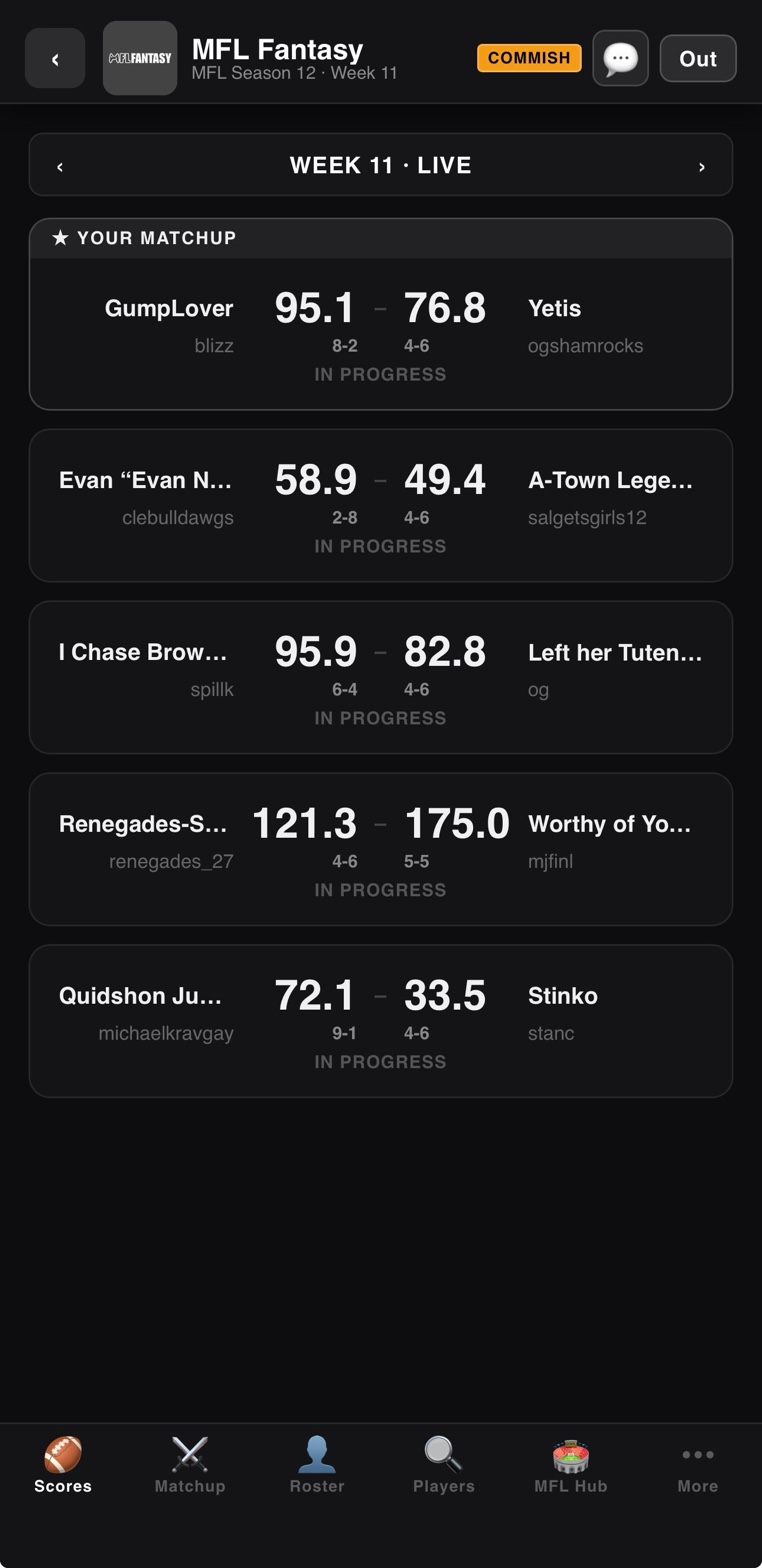
The scoreboard shows every matchup in the league for the current week side by side. Tap any matchup to drill into the slot-by-slot detail. Standings track wins, losses, ties, total points for, total points against, and division standing if your league uses divisions. The tiebreakers are head-to-head record first, then total points scored.
League Schedule
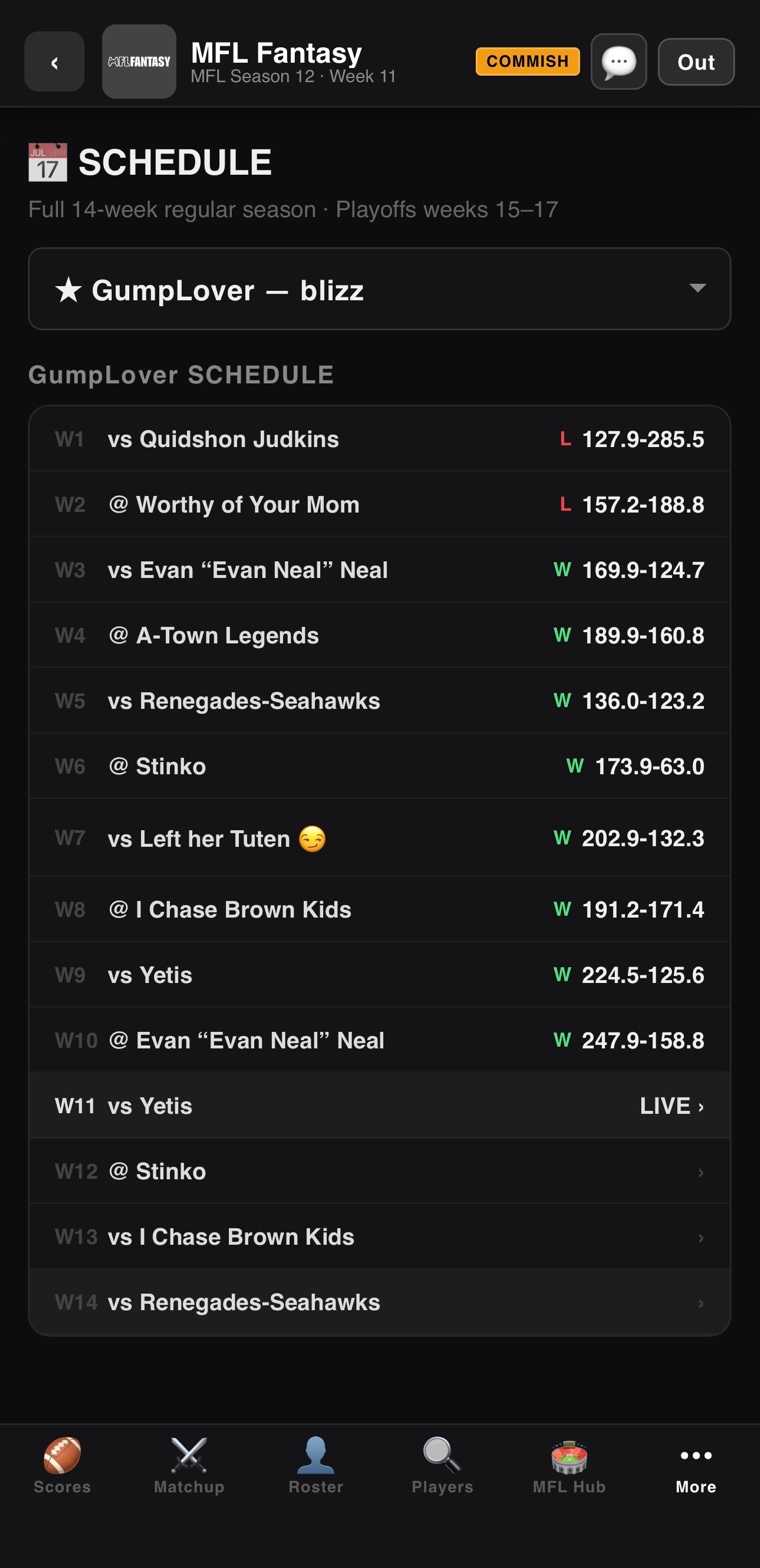
The schedule view shows every team's matchups across all 17 weeks. Past weeks display final scores; upcoming weeks display projections. Useful for scouting opponents three weeks out, planning trades around the playoff push, or checking strength-of-schedule for waiver-wire targets.
Trades
Open any player card from another team's roster and tap "Propose Trade." The trade builder lets you offer any number of your players in exchange for any number of theirs. You can attach a message, set a counter-offer deadline, and send.
For human-vs-human trades, the receiving manager gets a notification and can accept, decline, or counter. For trades against CPU teams, the AI trade evaluator runs in the background — it considers positional fit, player value differentials, current roster construction, and team needs before responding. CPU teams will accept favorable trades, decline lopsided ones, and counter-offer when there is a fair middle ground.
Depending on league settings, accepted trades can be subject to a veto vote from the rest of the league before they finalize.
Waivers & Free Agency
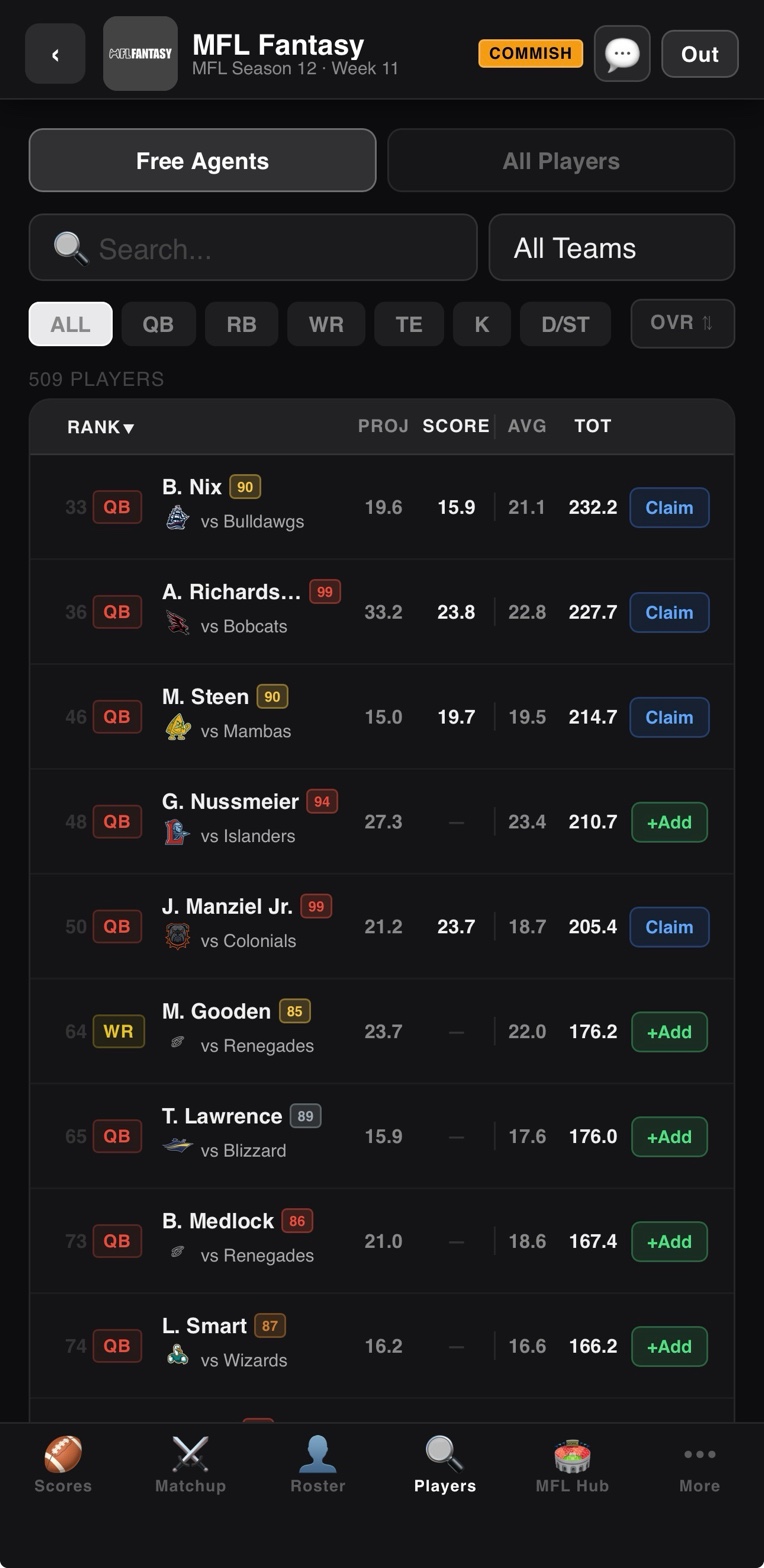
After every weekly import, a waiver period opens (24–48 hours, configurable). Submit claims on free-agent players you want to add. Claims process in reverse standings order by default — worst team picks first — with priority dropping to the bottom after each successful claim. Once waivers clear, remaining free agents become first-come-first-served until next week's games begin.
Transactions Log
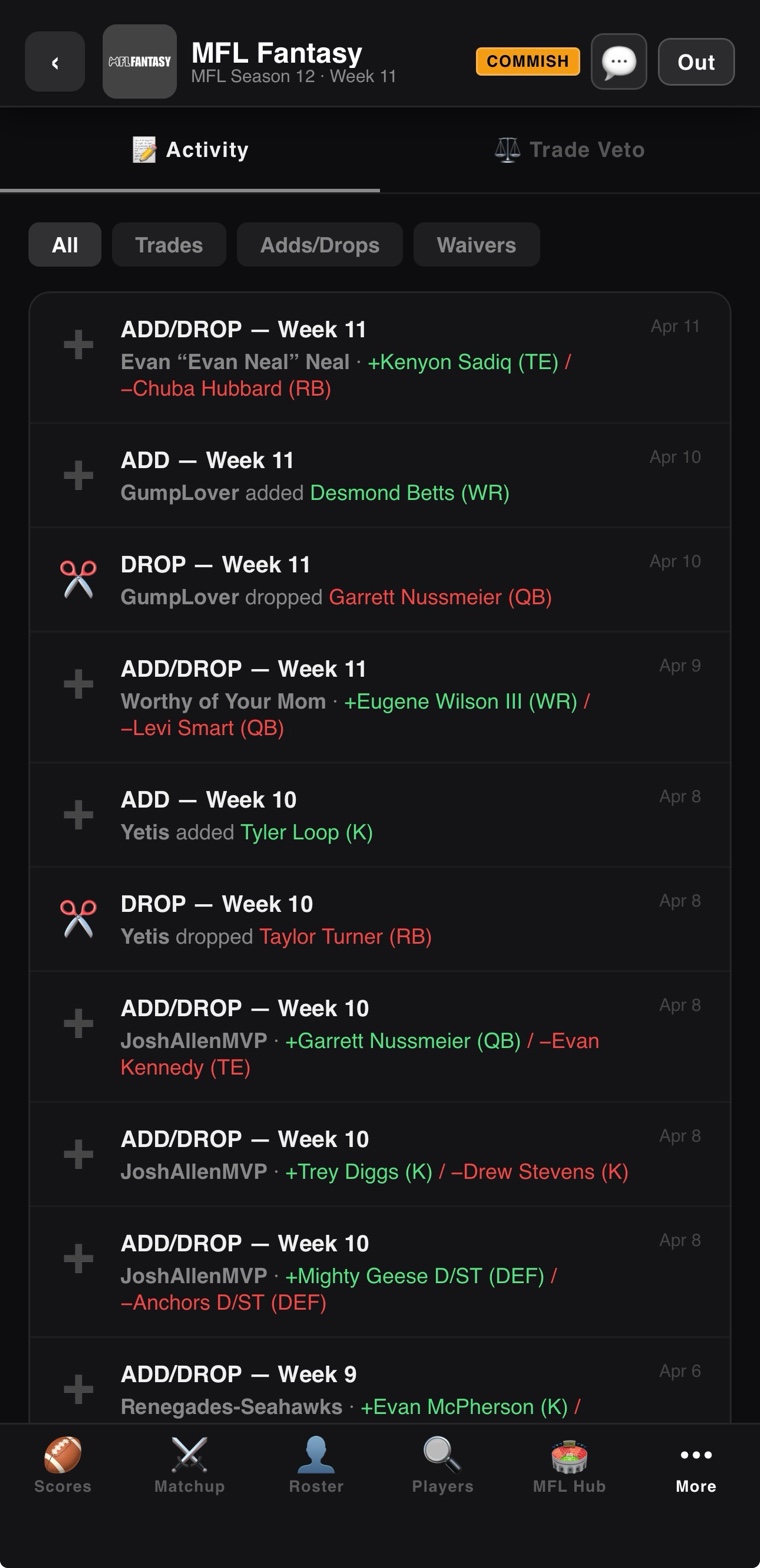
Every move in the league — every add, every drop, every trade, every waiver claim, every CPU action — is logged in chronological order. Useful for tracking who has been active, who is making moves, and for understanding the meta of your league over the course of a season.
The Playoff Bracket
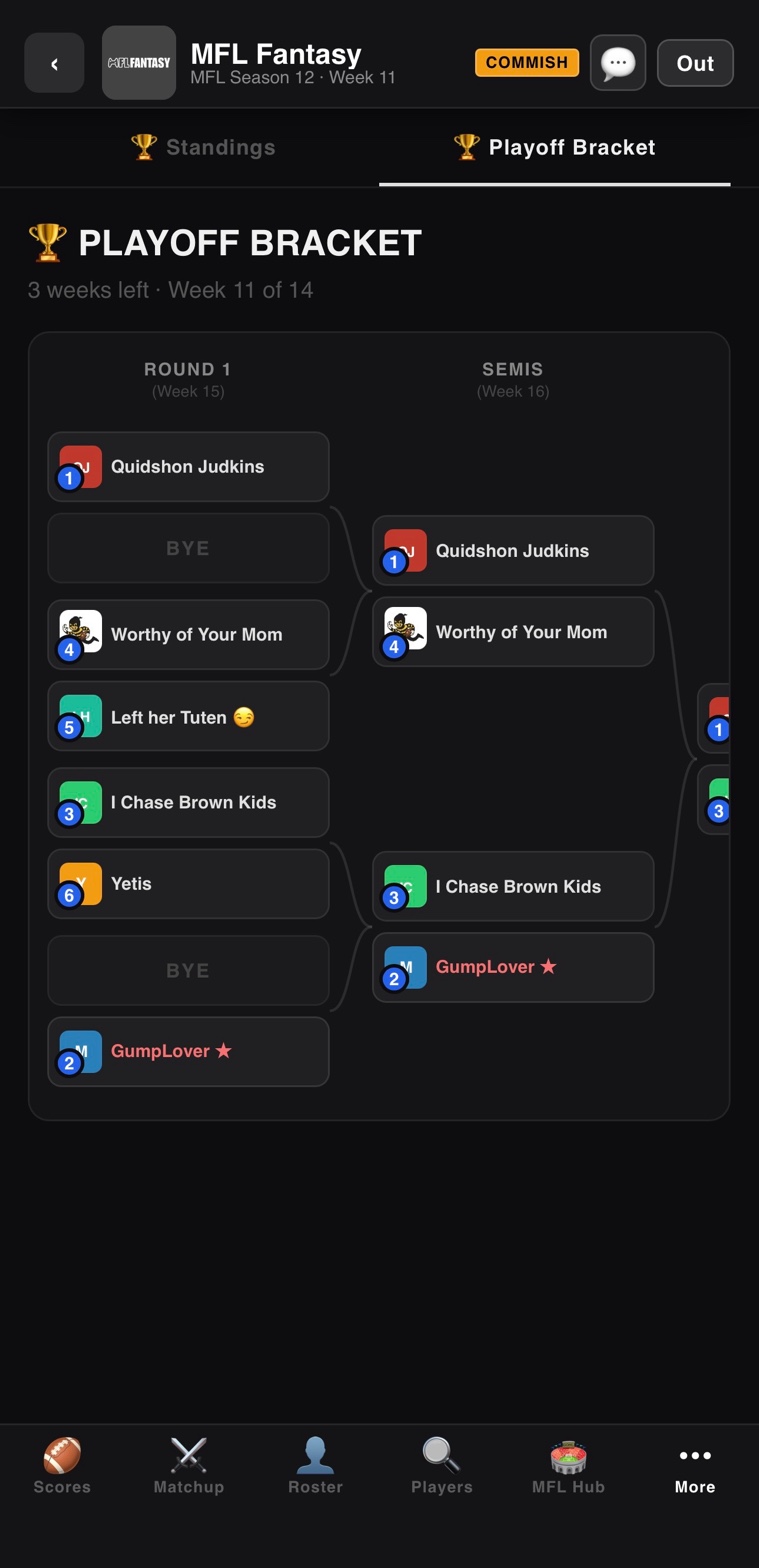
Weeks 15, 16, and 17 are the playoffs. The bracket is generated automatically from regular-season standings. Top seeds get byes in larger brackets, lower seeds play in. The championship game in Week 17 gets a special "gold treatment" recap when it finalizes.
Player Cards
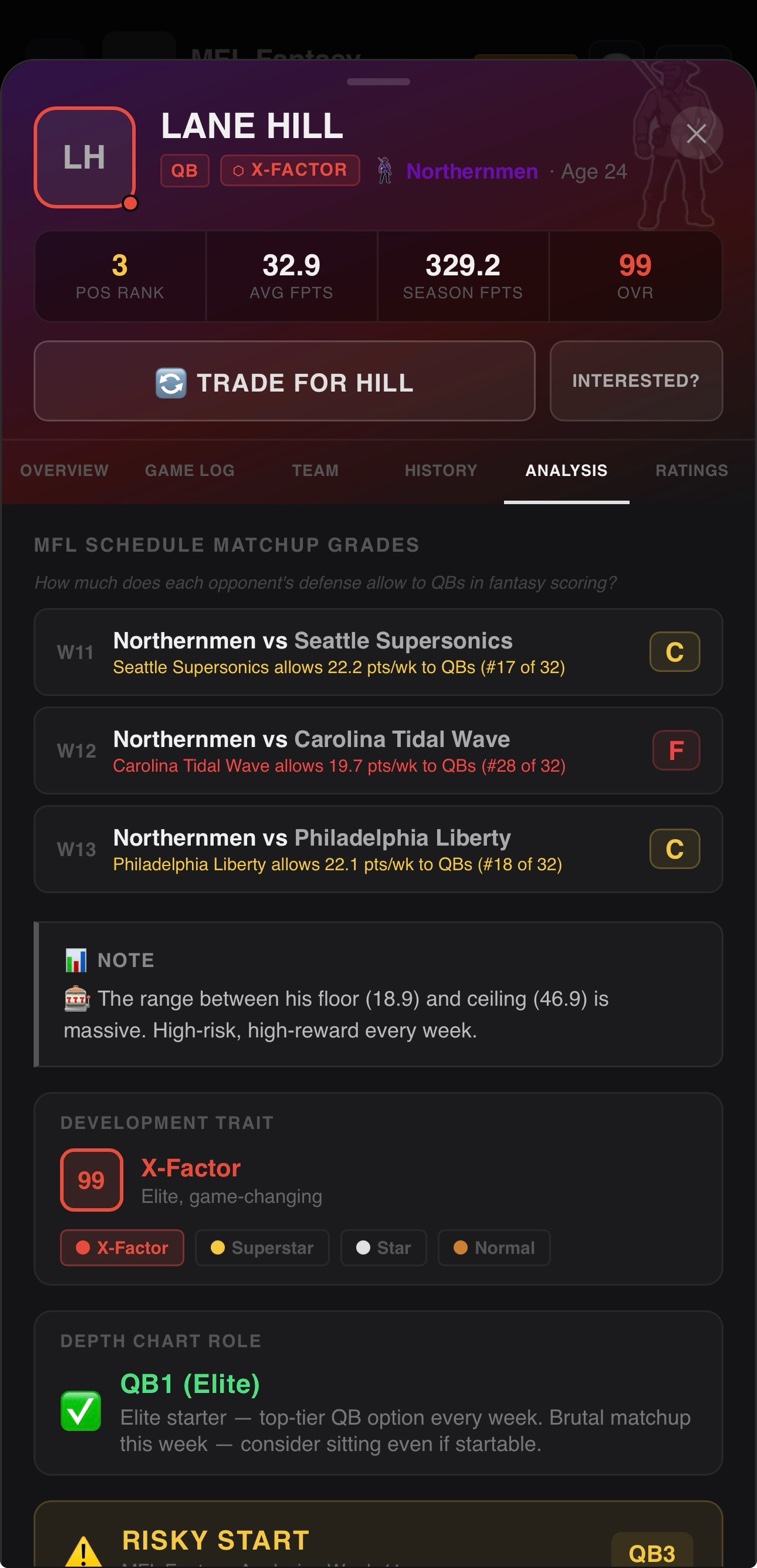
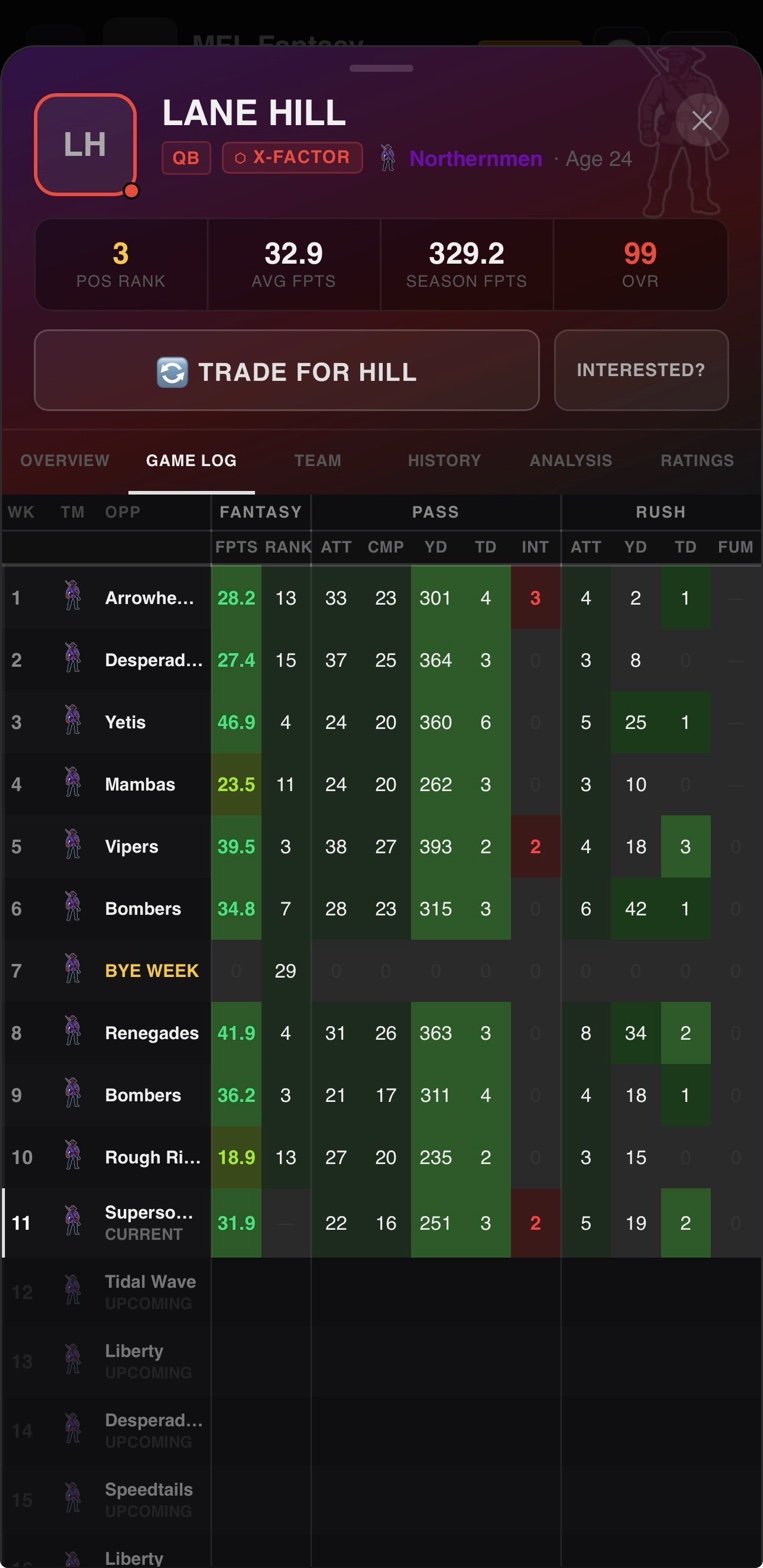
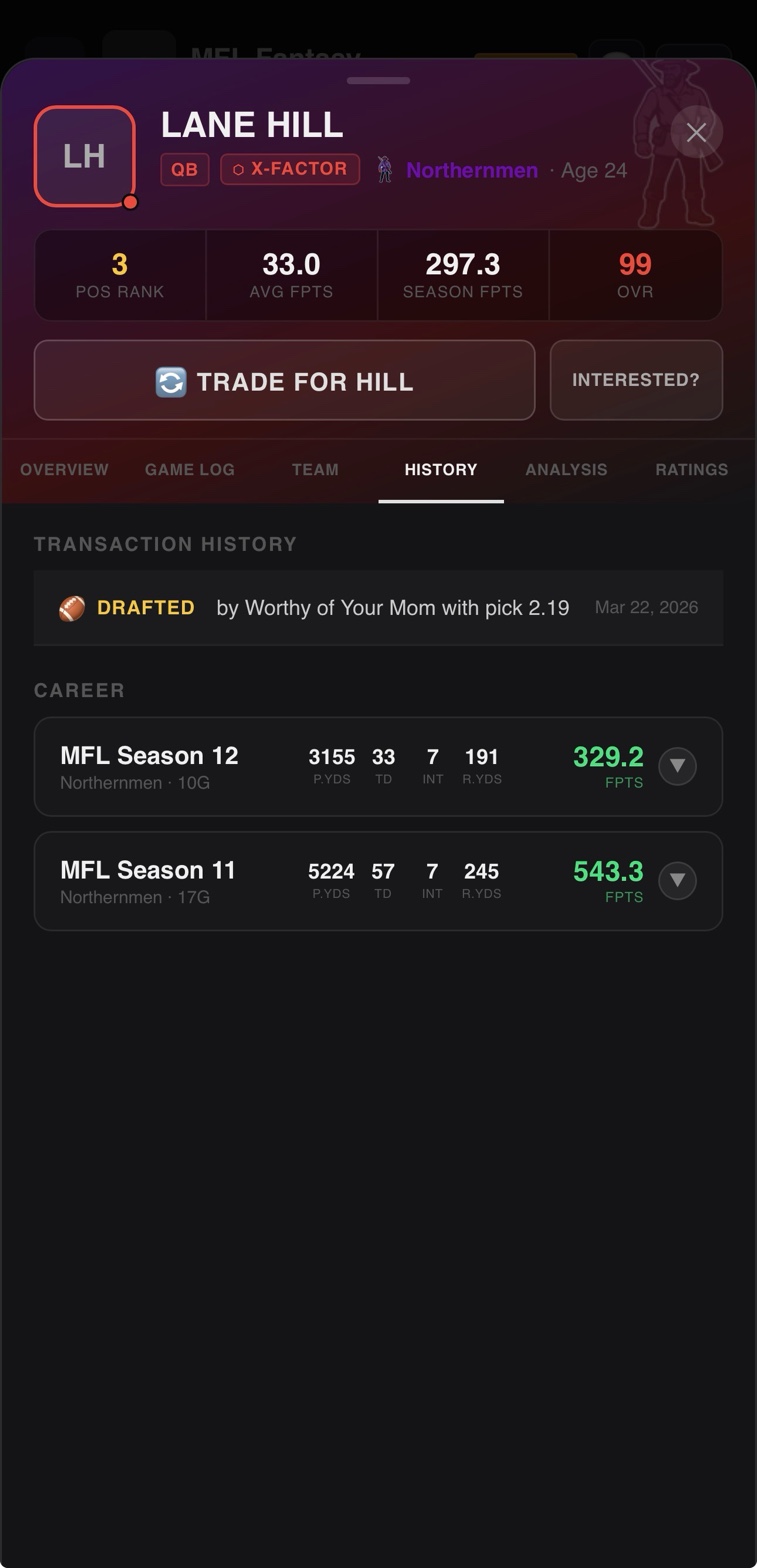
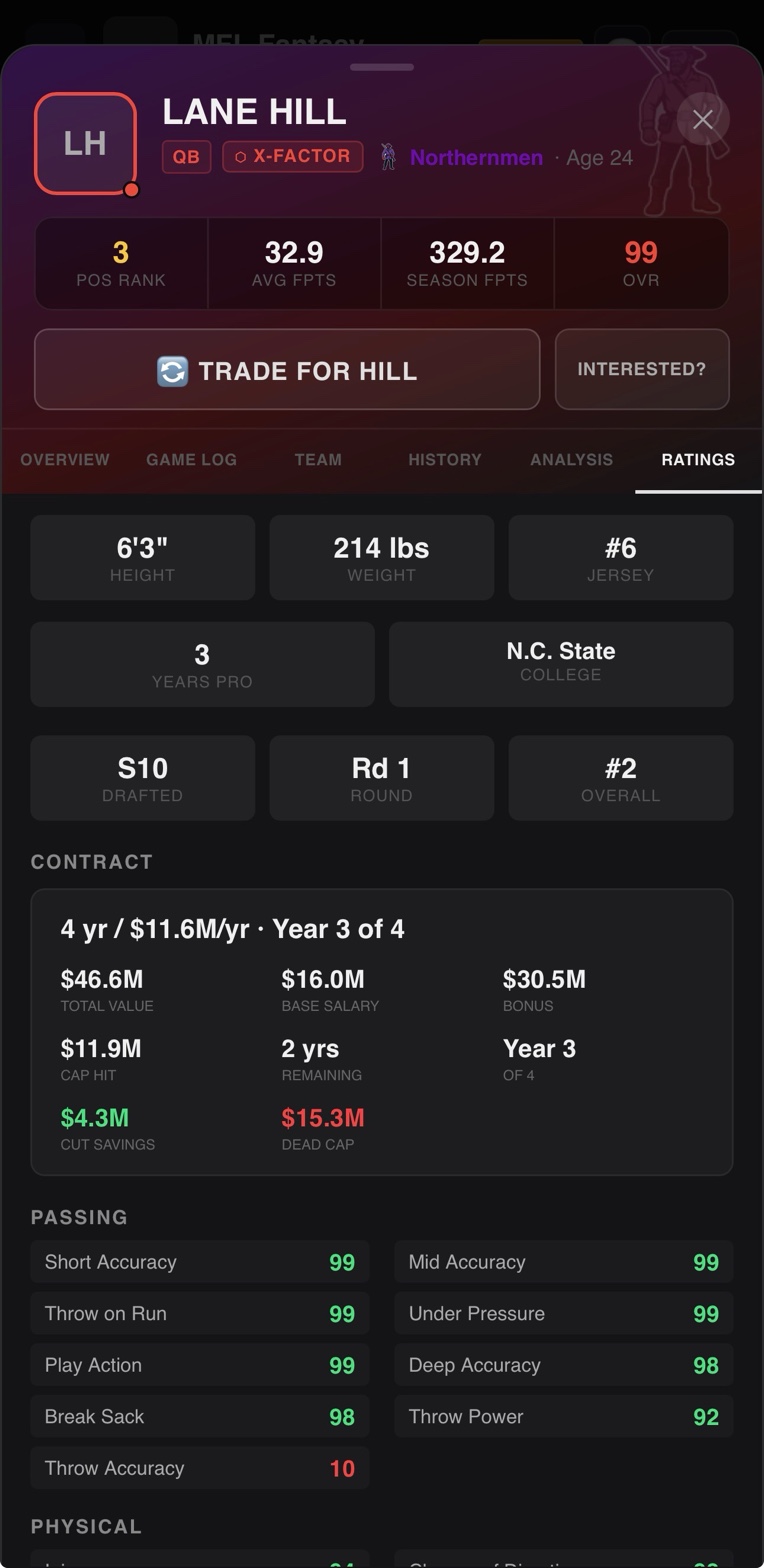
Every player in the MFL has a deep player card with multiple tabs. Overview shows the current season summary, position rank, and key stats. Game Log breaks down every week's stat line. History shows career performance across multiple MFL seasons. Ratings shows the Madden attribute ratings driving the player's in-game performance. Team and Analysis tabs add context. Tap any player anywhere in the app to open the card.
Top Players & Position Rankings
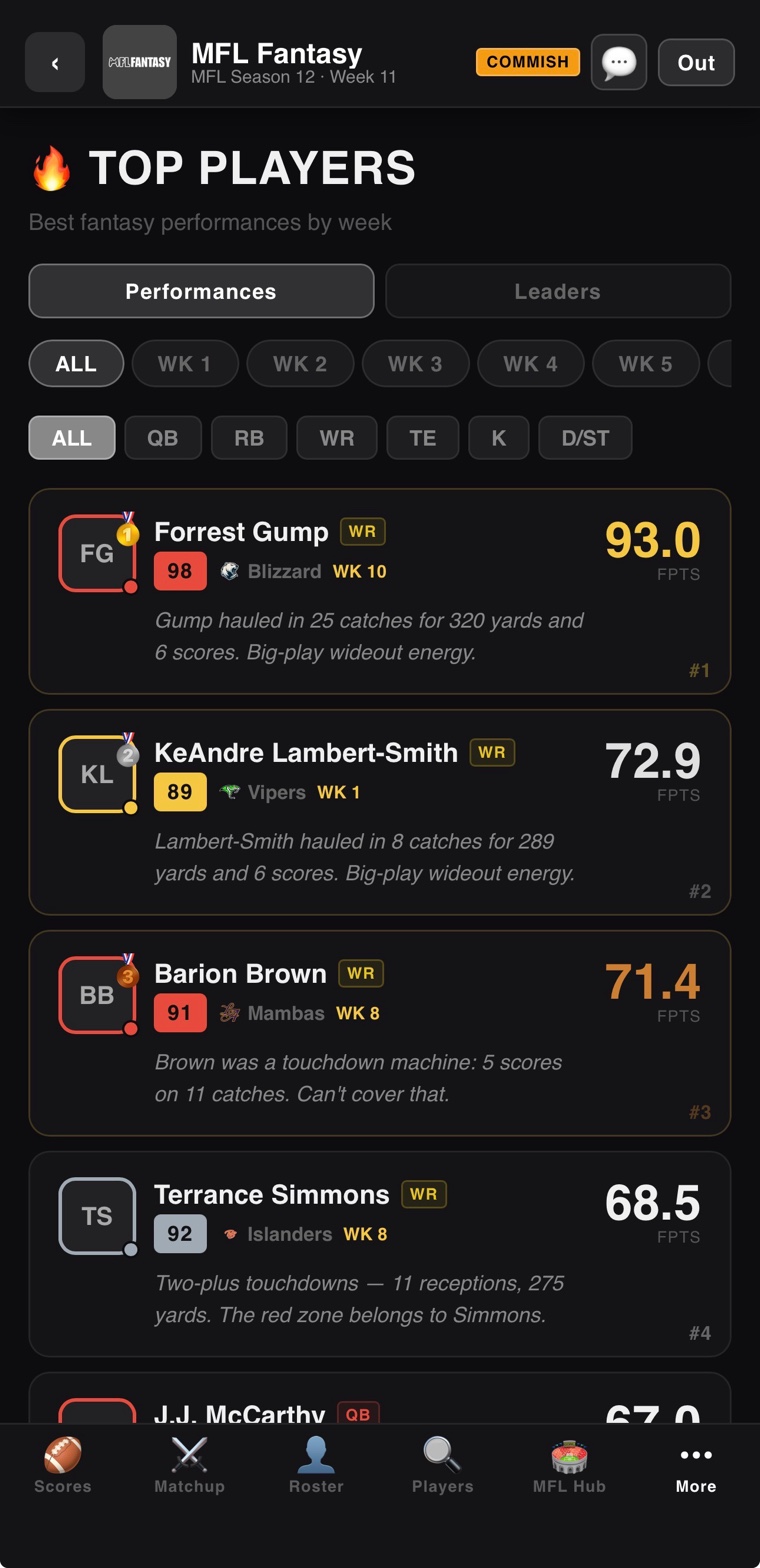
The Top Players view is the entry point for scouting. Filter by position, sort by season fantasy points, average per game, OVR rating, or any individual stat. Useful for evaluating waiver targets, comparing trade options, or just seeing who is dominating the league.
The MFL Stats Hub
The Stats Hub is the deepest single feature in the app — a comprehensive scouting tool covering all 32 MFL teams that exists independently of any individual fantasy league. It has its own deep dive at /stats-hub with screenshots for every tab. Highlights:
- Team rosters with full depth charts
- Schedule and game results
- Standings across the AFC and NFC
- Defensive stat breakdowns
- Contract details and cap implications
- League-wide stat leaders by position
- News and league events
- Weekly game recaps
CPU AI
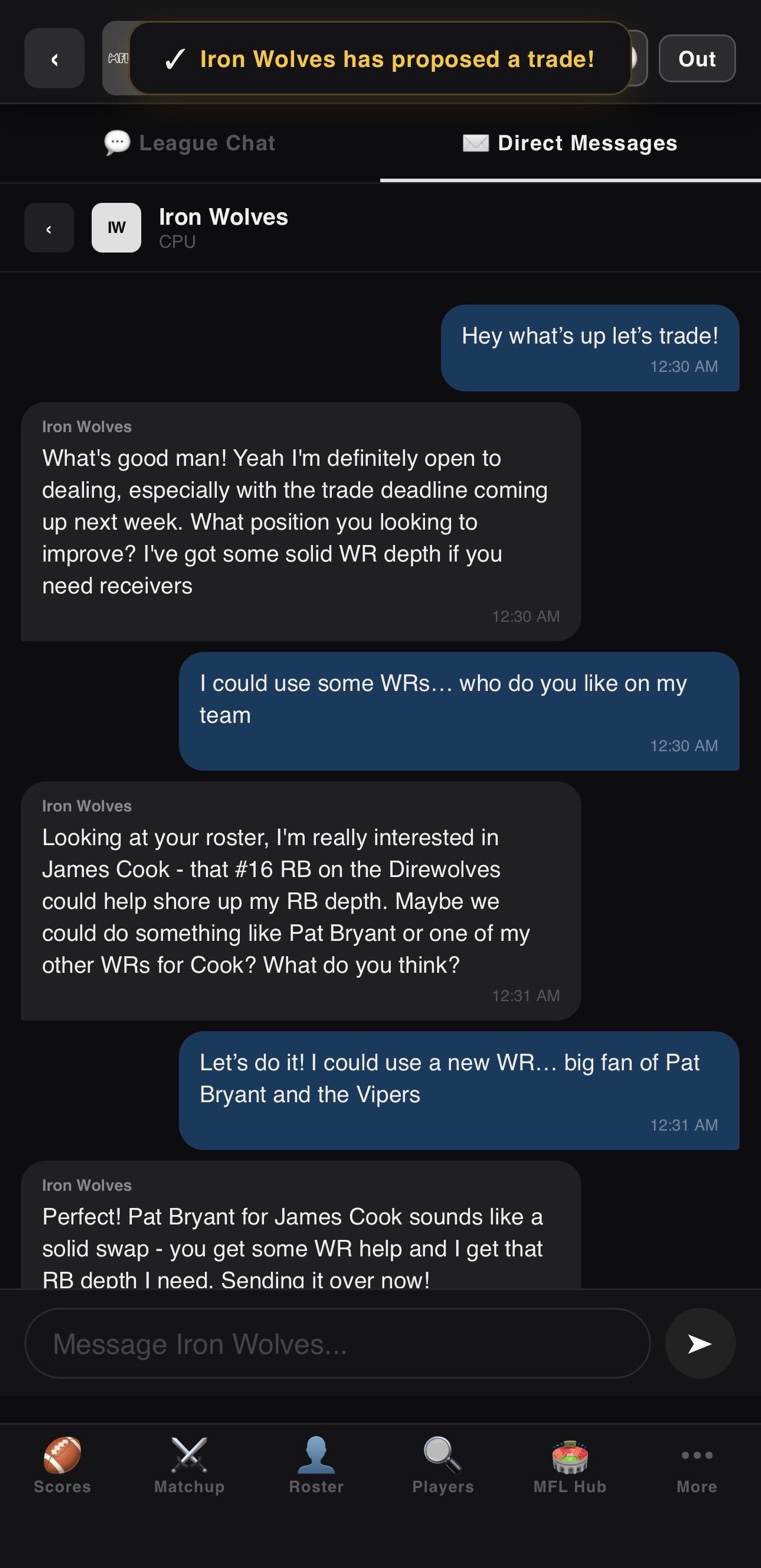
CPU teams are not roster shells. They are full AI managers that draft, claim waivers, propose and accept trades, set lineups based on weekly matchups, and respond to direct messages. You can negotiate with them. They counter-offer. The full breakdown is on the CPU AI deep dive.
Direct Messages
Every league has a built-in DM system. Message other managers about trades, talk smack after a win, coordinate on a vote — same way you would in any group chat, but threaded by conversation. CPU teams respond to DMs too, which makes solo leagues feel less hollow than they would otherwise.
News & League Events
The news feed surfaces league-wide events as they happen: trades, big performances, injuries, championship moments. It pulls automatically from league activity and the underlying MFL — you do not have to do anything for it to update.
See It in Action
Sign up free, join a public league, and the whole feature set is available to you in under five minutes.
START PLAYING FREE