The MFL Stats Hub
The complete scouting reference for the MFL universe
The MFL Stats Hub is the deepest single feature in the platform. It exists independently of any individual fantasy league — you can browse the Hub without joining a league at all — and serves as a comprehensive reference for the entire MFL universe: 32 teams, hundreds of players, contracts, ratings, schedules, standings, news, recaps, and league-wide stat leaders. If MFL Fantasy is the fantasy game, the Stats Hub is the encyclopedia behind it.
This page walks through every tab in the Hub, explains what each surface is good for, and shows you the screenshots so you can see it before you sign up.
Stats Hub: Overall Stats
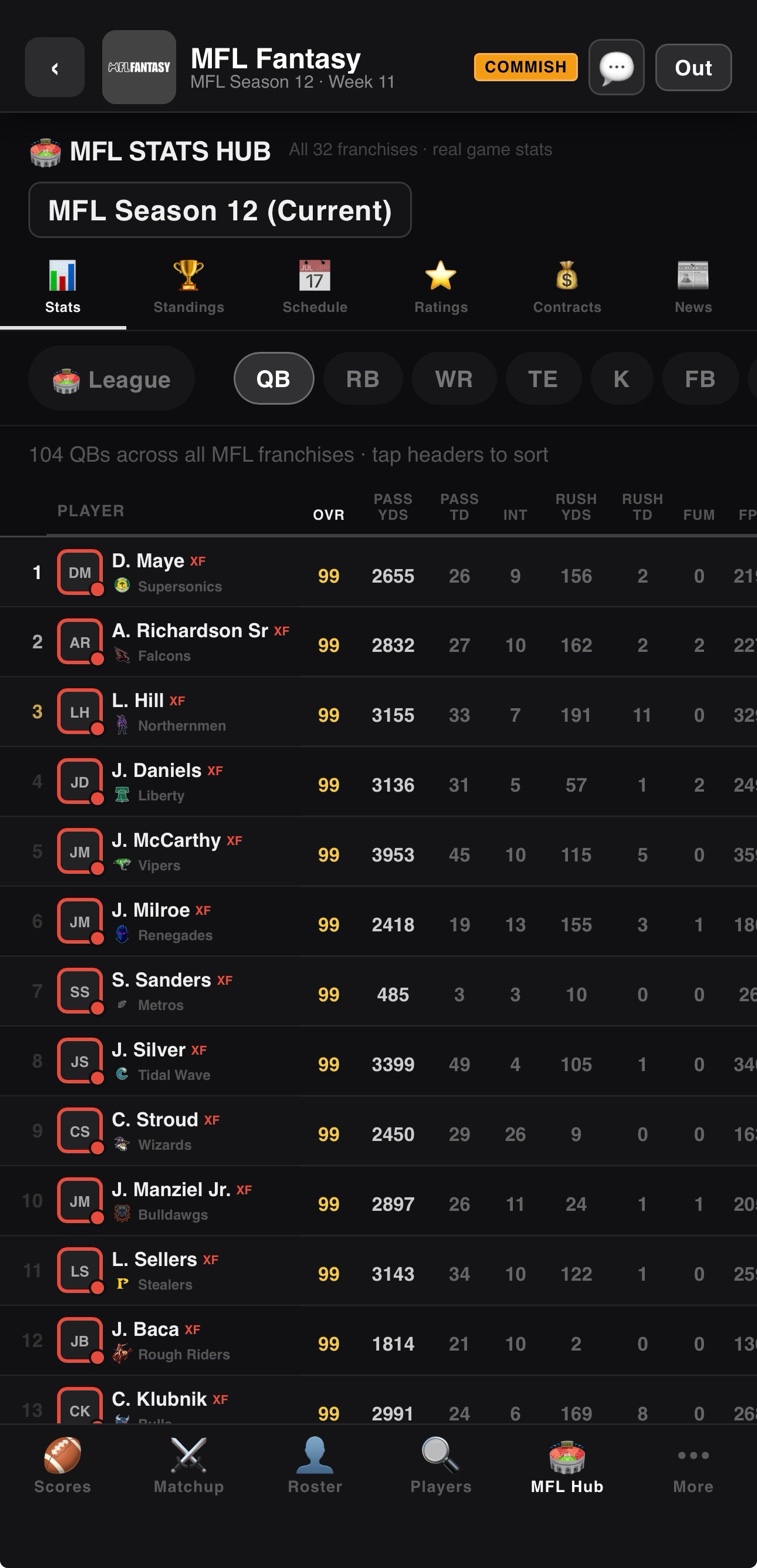
The main Stats tab is the entry point for "who is dominating the league right now." It surfaces stat leaders across every position, sortable by:
- Fantasy Points (FPTS): Total season fantasy points using MFL Fantasy's PPR scoring
- Average FPTS: Per-game scoring average, useful for adjusting for bye weeks and games missed
- Raw stats: Passing yards, rushing yards, receiving yards, TDs, INTs, sacks, tackles, etc.
- Position rank: Where each player ranks against others at the same position
Filter by position to see only QBs, RBs, WRs, TEs, K, or D/ST. Tap any player to open their full player card. This is the page to bookmark if you are evaluating waiver-wire targets or trade options.
Stats Hub: Team View
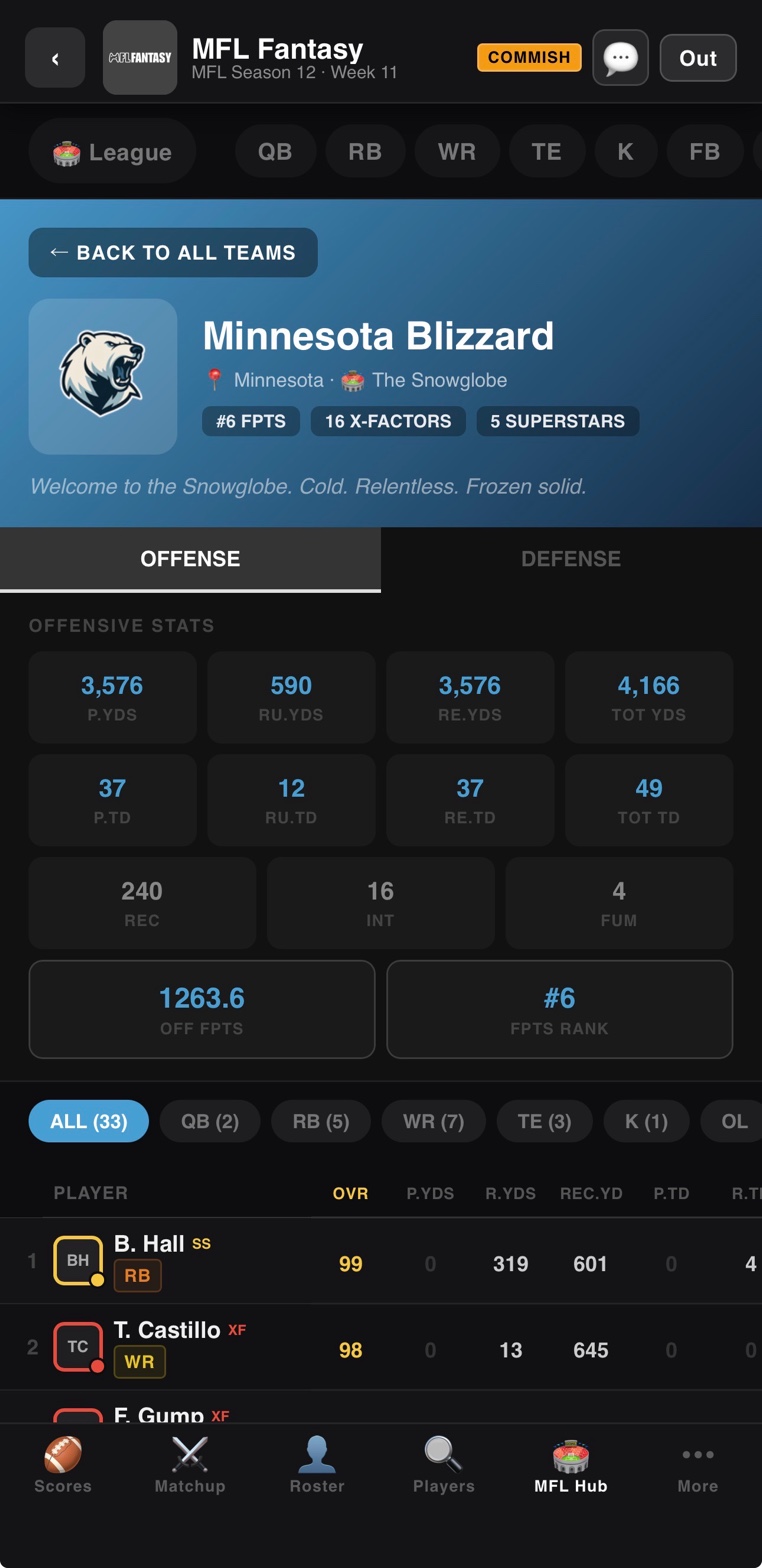
Pick any of the 32 MFL franchises and the Team tab gives you everything about them in one view:
- Full active roster with positional grouping (offense, defense, special teams)
- Depth chart showing starters vs backups at each position
- Team-level stat totals: passing yards, rushing yards, points scored, points allowed
- Offensive and defensive rankings league-wide
- Team record and current playoff seeding
- Team OVR rating and key player breakdowns
Tap any player on the roster to drill into their player card. The Team tab is invaluable for scouting opponents — if you are about to play "the Direwolves" this week in fantasy, browse their team page and you will know which of their players is the actual threat versus which one is a name-only starter.
Stats Hub: Standings
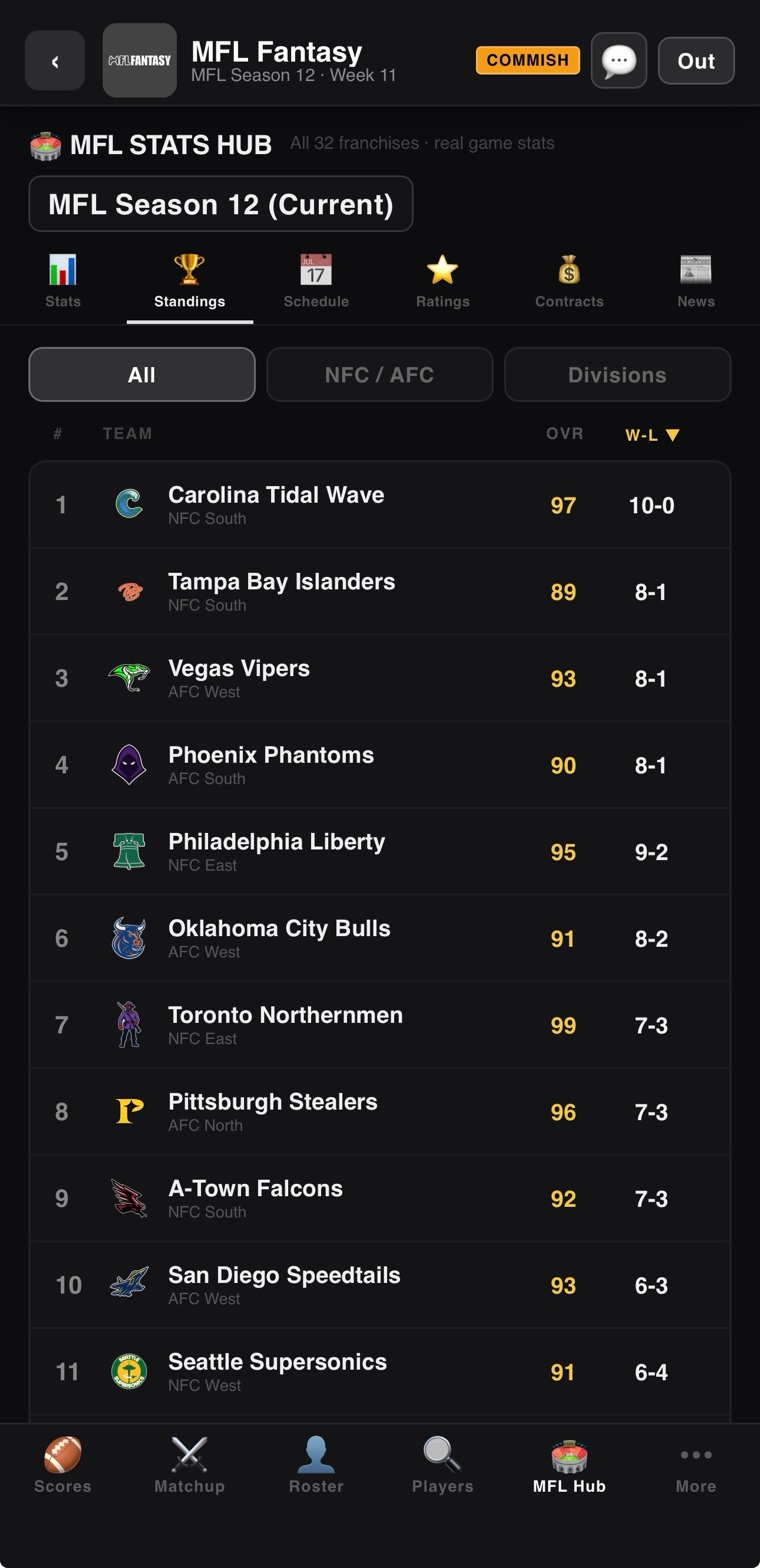
The Standings tab shows the full MFL standings table, sortable by:
- Overall record (W-L-T)
- Conference (AFC / NFC)
- Division
- Points for and points against
- Playoff seeding
- Net point differential
This is the actual MFL standings — the real Madden league outcomes — not your fantasy league standings. Useful for understanding which MFL teams are dominant (and thus whose players to target) and which are bottom-feeders (whose players might be on the trade block in your fantasy league).
Stats Hub: Schedule
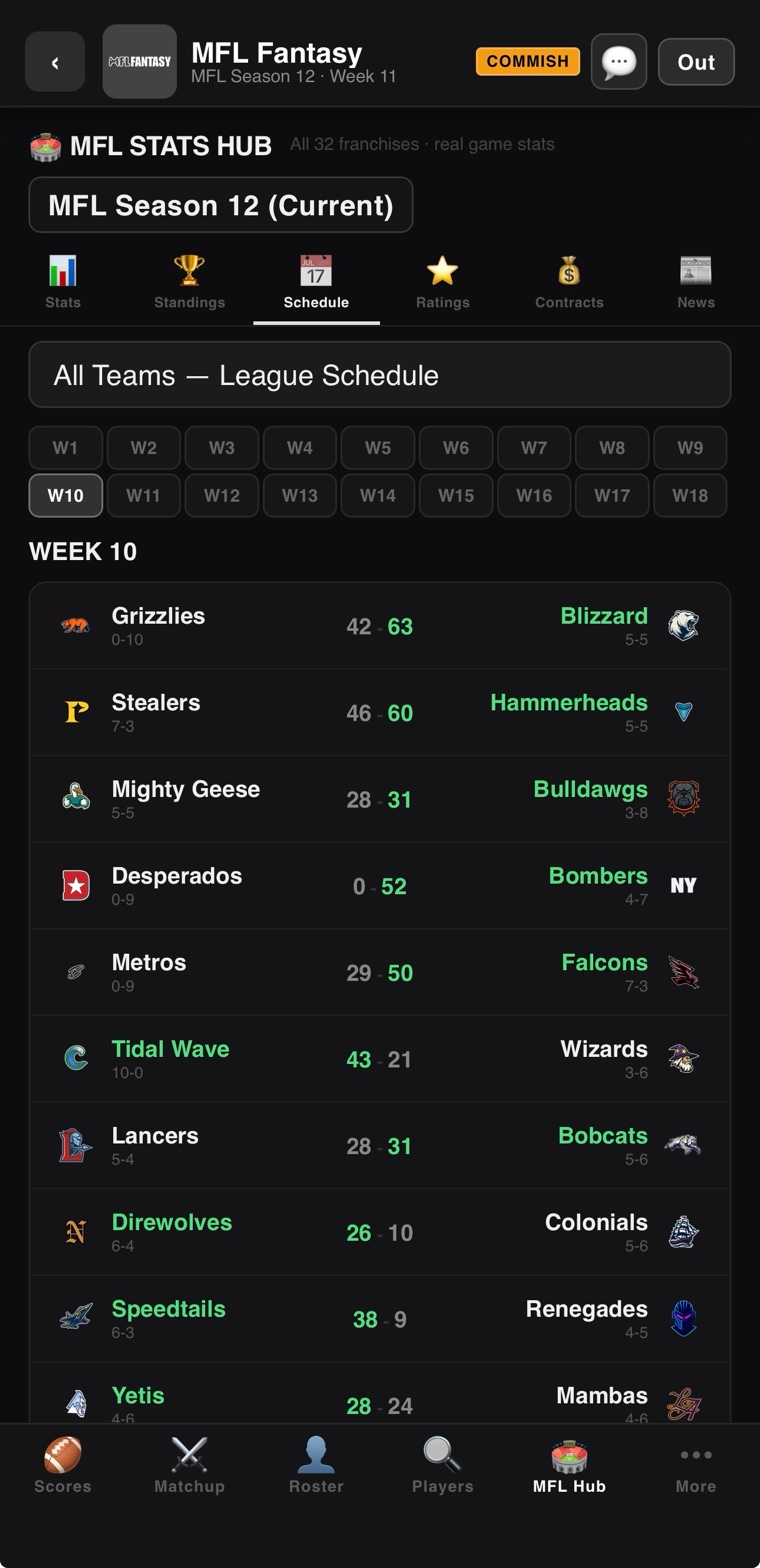
The full MFL game schedule across all 17 weeks. Past weeks show final scores. Upcoming weeks show the matchups. Filter by team to see a single team's full schedule. This is the underlying league schedule — every fantasy stat in the app comes from games played on this schedule, so checking matchups here helps with start/sit decisions.
A WR going up against a top-5 defense in the upcoming MFL week is a different proposition than one facing a bottom-5 defense. The schedule tab is how you check.
Stats Hub: League Stats
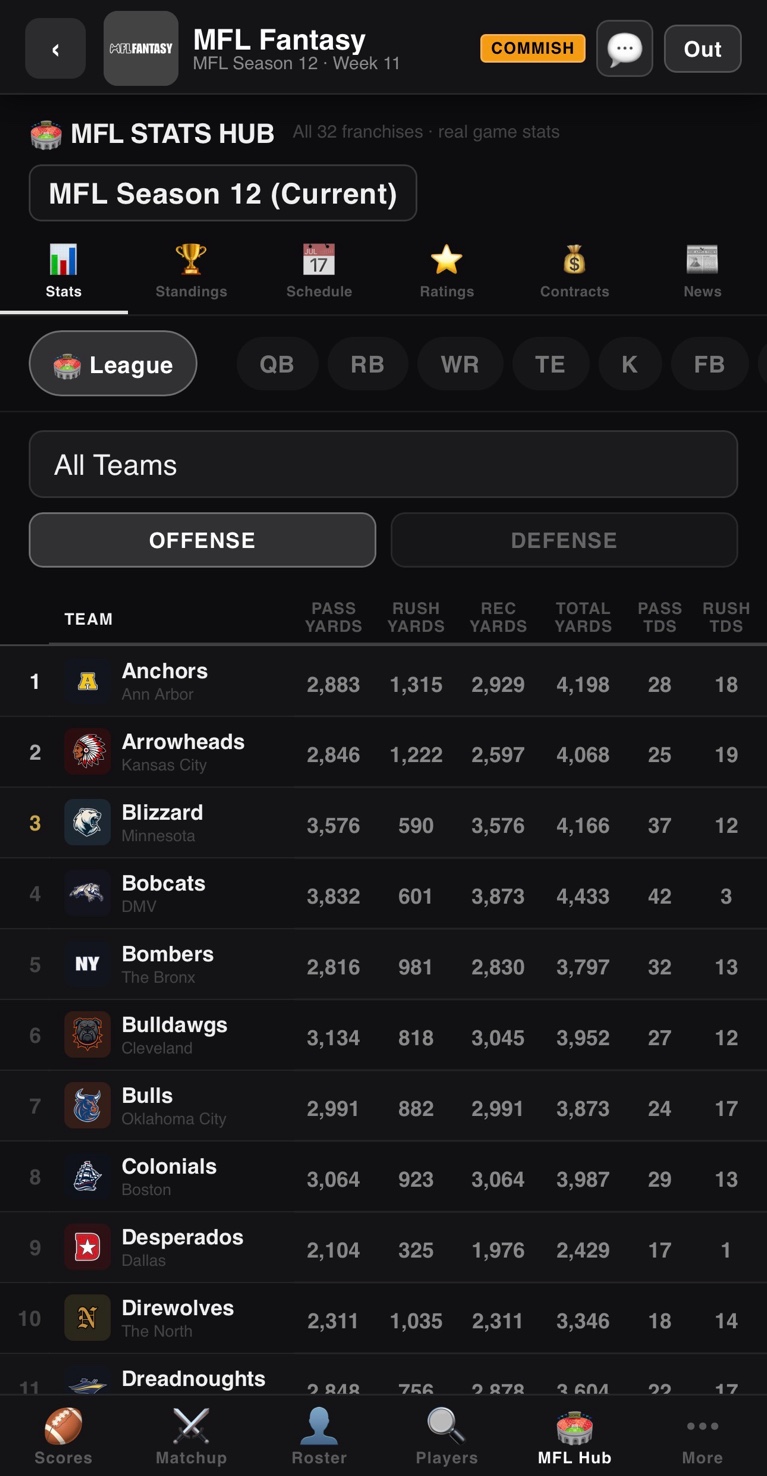
The League Stats tab aggregates stats across the entire MFL: total league passing yards, total rushing yards, top defenses by yards allowed, top offenses by yards gained, points-per-game leaders and trailers. Useful for understanding the meta of the league — is this a high-scoring season? Pass-heavy? Run-heavy? Defense-dominant?
Knowing the meta helps with draft strategy in future seasons. If the MFL has trended toward heavy defensive performance, drafting elite D/STs early might have more value than usual.
Stats Hub: Contracts
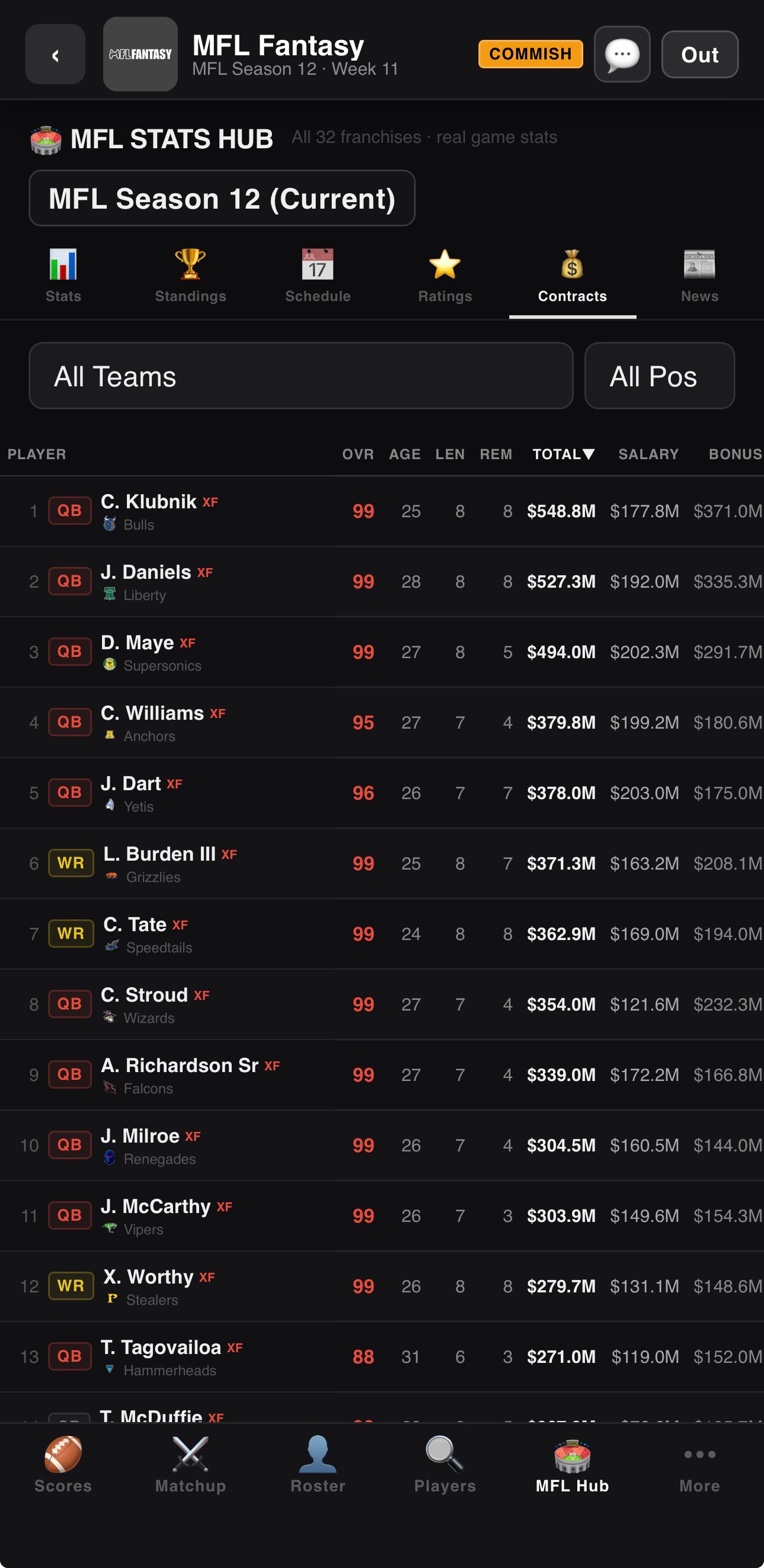
Every player has a contract: salary, years remaining, cap hit, and contract status (active, expiring, rookie deal, veteran extension). The Contracts tab surfaces:
- Top-paid players league-wide
- Best value contracts (high performance, low cap hit)
- Worst value contracts (high cap hit, declining performance)
- Players entering contract years (potential breakout or motivation candidates)
- Each team's cap situation and cap available
Contract status is a useful secondary signal for fantasy decisions. A player in a contract year often has motivation incentives baked into their attribute progression, which can translate to fantasy upside.
Stats Hub: News
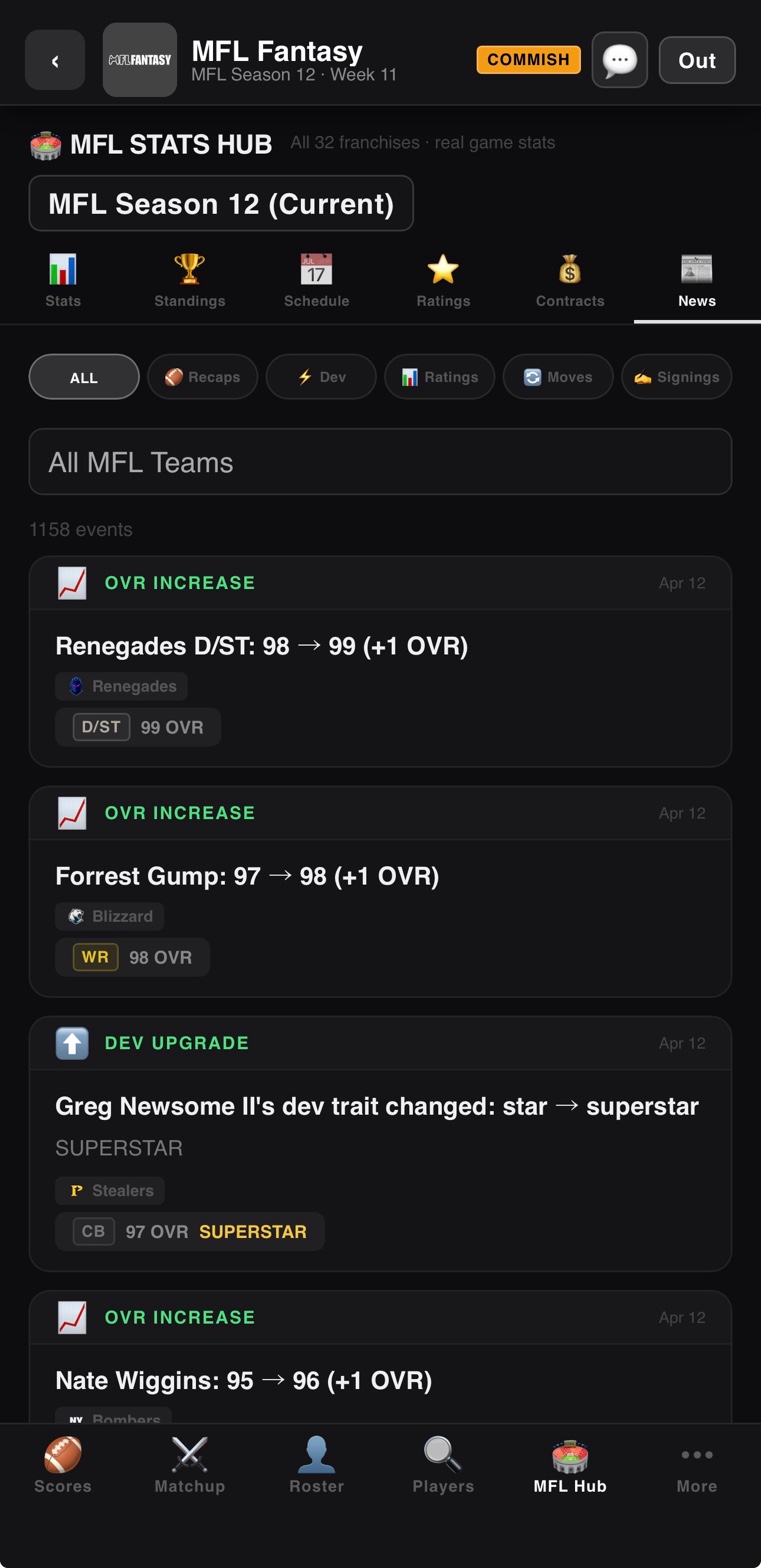
The News tab is the chronological feed of everything happening in the MFL: trades, injuries, breakout performances, coaching changes, contract signings, dev trait upgrades, and storyline events. Updates automatically with every game import.
This is where you find the storylines that make the league feel alive — a young QB getting promoted from backup, a veteran RB hitting 10,000 career yards, a defense pitching back-to-back shutouts. News items often translate directly to fantasy moves: an injury news item is a "drop this player and grab the backup" signal.
Stats Hub: Weekly Recaps
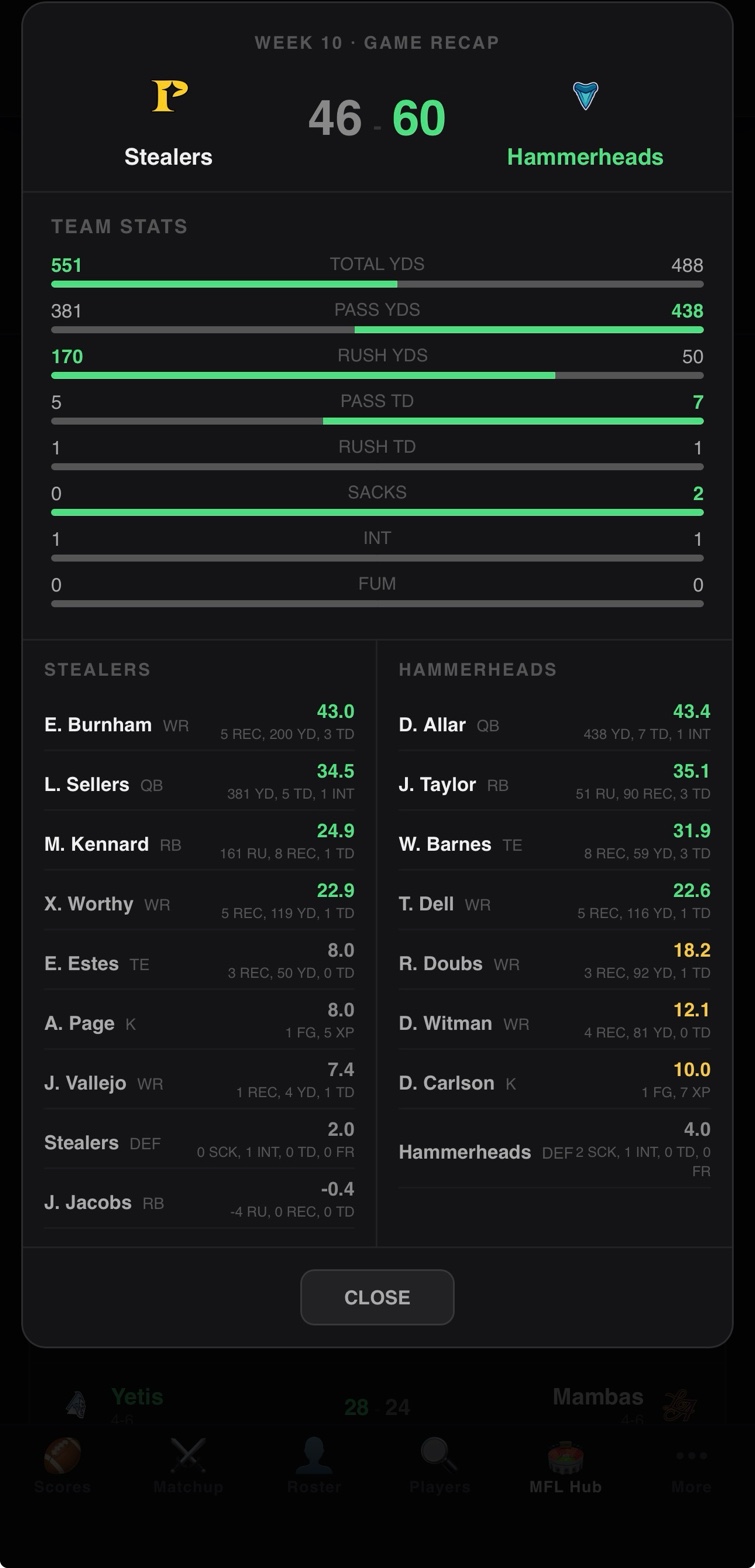
After every weekly import, the Hub generates recaps summarizing the week's biggest performances, biggest upsets, and notable storylines. Recaps include:
- Top performers by position
- Biggest games (highest fantasy scores of the week)
- Biggest busts (highly-drafted players who underperformed)
- Notable injuries
- Trend pieces (e.g., "Three rookie RBs are quietly producing top-10 numbers")
If you only have time to check one part of the Hub each week, this is it. The recap surfaces the actionable information without making you dig.
Player Cards from the Stats Hub
Every player you encounter in the Stats Hub is tappable. Opening a player card from the Hub gives you the same deep card you would see in your fantasy league — Overview, Game Log, History, Team, Analysis, and Ratings tabs. The Hub is the natural entry point for scouting workflows: find a name on a stat leaderboard, tap into the card, evaluate the full profile.
Why the Stats Hub Matters
Most fantasy apps assume you already know the player pool. They are built around leagues where every user has years of context — they know which RBs are studs, which QBs are reliable, which D/STs are scary. With the MFL universe, that context does not exist by default. The Stats Hub is how you build it.
Without a Stats Hub, you would be drafting blind, making lineup decisions based on names you do not know, and missing waiver-wire pickups because you do not recognize the breakout players. With the Hub, you have a reference that is roughly equivalent to what ESPN or Pro Football Reference provide — except built specifically for the MFL.
The Hub as a Standalone Tool
You do not need to be in a fantasy league to use the Stats Hub. You can sign up, skip the lobby, and just browse. Some users use the Hub as a pure spectator tool — they follow the MFL the same way they follow real football, checking stats, reading recaps, and watching storylines develop, without ever drafting a fantasy team.
Whether you are a fantasy player or just an MFL fan, the Hub is the single best place to spend time inside the app.
Browse the Hub Right Now
Sign up free, skip the league setup, and open the Stats Hub from the lobby.
OPEN THE APPRelated Reading
- The 32 MFL Teams — Quick reference to every franchise
- All Features — Complete platform feature tour
- Draft Guide — Use the Hub to prep for your draft
- Scoring Rules — Understand what each stat is worth